Best Cameras for Youtube in 2025: A Guide
Arnav Jalan
social media
The best camera for YouTube depends on what you create. Vloggers need something compact with good autofocus. Talking head creators need clean image quality and reliable audio. Cinematic creators need larger sensors and interchangeable lenses.
Key Takeaways
What Makes a Good YouTube Camera? — Not every camera feature matters for YouTube.
Video Quality (4K is Standard) — 4K resolution is the baseline for serious YouTube content in 2025.
Autofocus — This is critical, especially for solo creators.
Flip Screen — If you film yourself, you need to see the screen while recording.
Audio Input — Built-in microphones are usually mediocre.
Stabilization — Shaky footage looks amateur.
Here are the best options for each use case, plus what actually matters when choosing a YouTube camera.
Quick Recommendations
Use Case: Vlogging — Sony ZV-E10 II — $900-1,100
Use Case: Beginners — Canon EOS R10 — $800-1,000
Use Case: Compact/Travel — Sony ZV-1 II — $900-1,000
Use Case: Professional — Panasonic Lumix GH6 — $1,800-2,200
Use Case: Action/Adventure — GoPro Hero 12 — $400-500
Use Case: Budget — Sony ZV-E10 (original) — $600-800
Now let us break down why these cameras work and what features actually matter.
What Makes a Good YouTube Camera?
Not every camera feature matters for YouTube. Here is what does.
Video Quality (4K is Standard)
4K resolution is the baseline for serious YouTube content in 2025. It gives you room to crop and reframe in editing, and it looks sharper even when viewers watch at 1080p.
Frame rates matter too:
24fps: Cinematic look
30fps: Standard YouTube look
60fps: Smooth motion, good for action
120fps: Slow motion capability
Autofocus
This is critical, especially for solo creators. You need a camera that keeps you in focus without a camera operator.
Look for:
Eye tracking autofocus
Fast and accurate tracking
Works reliably in various lighting
Sony cameras currently lead in autofocus performance. Canon is close behind.
Flip Screen
If you film yourself, you need to see the screen while recording. A fully articulating flip screen that faces forward is key for solo vlogging.
Audio Input
Built-in microphones are usually mediocre. A 3.5mm microphone jack lets you connect external mics for better audio. Some cameras have full-size XLR inputs for professional microphones.
Stabilization
Shaky footage looks amateur. Options:
In-body image stabilization (IBIS)
Lens stabilization
Electronic stabilization
External gimbals
IBIS is most versatile because it works with any lens.
Size and Weight
For vlogging and travel, smaller is better. For studio work, size matters less than image quality.
Best Camera for Vlogging: Sony ZV-E10 II
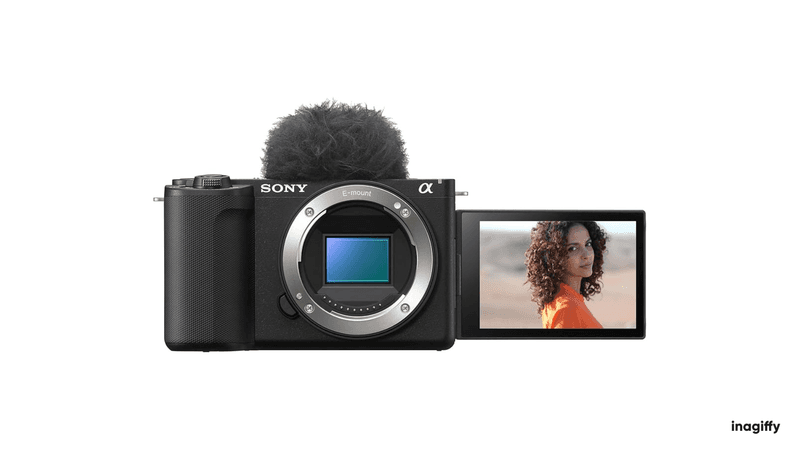
The Sony ZV-E10 II was designed specifically for content creators. It combines the video features YouTubers need in a compact, affordable package.
Key specs:
26MP APS-C sensor
4K 60fps recording
Real-time eye autofocus
Flip-out touchscreen
Built-in directional microphone
Product showcase mode
Why it works for vlogging: The autofocus tracks your face reliably, even when you are moving. The flip screen lets you frame yourself. The directional mic is better than most built-in options. Product showcase mode automatically shifts focus to objects you hold up, perfect for review videos.
Downsides:
No in-body stabilization (use lens stabilization or a gimbal)
Battery life is average
Kit lens is okay but not great
Price: Around $1,000 with kit lens
For content creation strategies that complement good video, see our guide on types of content creators.
Best Camera for Beginners: Canon EOS R10
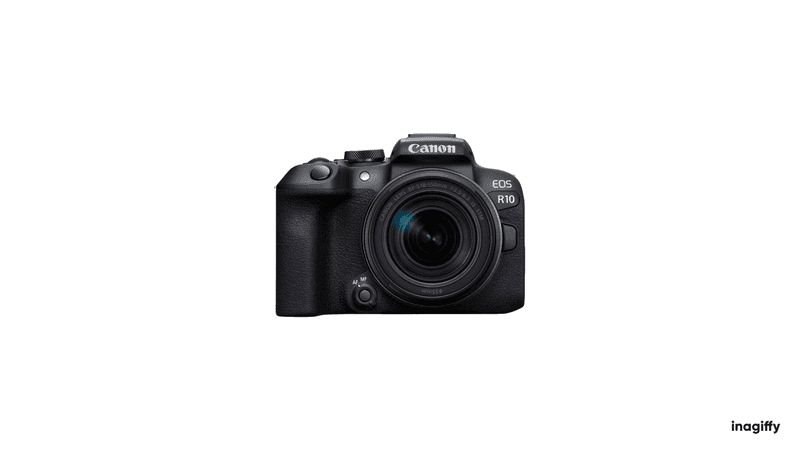
The Canon EOS R10 offers an excellent balance of ease of use, video quality, and price. Canon's interface is intuitive, and the autofocus just works.
Key specs:
24.2MP APS-C sensor
4K 30fps (cropped) or 4K 60fps (heavily cropped)
Dual Pixel CMOS AF II with eye tracking
Fully articulating touchscreen
Lightweight body
Why it works for beginners: Canon's menu system is straightforward. The autofocus is reliable without fiddling with settings. The touchscreen makes it easy to change settings and select focus points. Plenty of affordable Canon RF and EF lenses available.
Downsides:
4K is cropped, which narrows your field of view
No in-body stabilization
Video recording limits in some modes
Price: Around $900 with kit lens
Best Compact Camera: Sony ZV-1 II
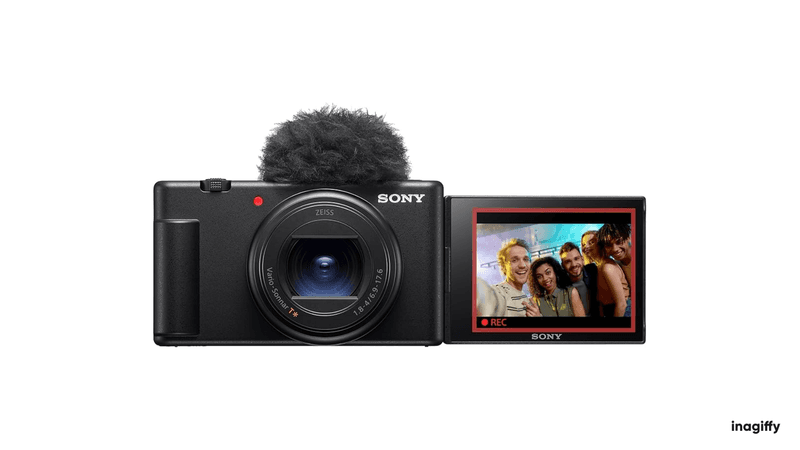
If you want a pocketable camera that shoots great video without interchangeable lenses, the Sony ZV-1 II is the answer.
Key specs:
20.1MP 1-inch sensor
4K 30fps recording
18-50mm equivalent zoom lens
Flip-out touchscreen
Built-in ND filter
Directional 3-capsule microphone
Why it works: The wider 18mm lens is better for vlogging at arm's length than the original ZV-1's 24mm. The built-in ND filter handles bright outdoor conditions without additional gear. It fits in a jacket pocket, making it ideal for travel.
Downsides:
Smaller sensor means more noise in low light
Fixed lens limits creative options
No lens interchangeability
Price: Around $900
Best Professional Camera: Panasonic Lumix GH6
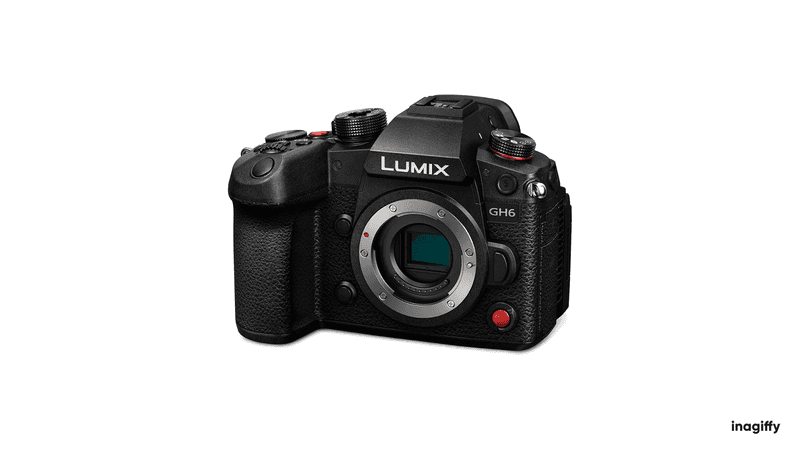
For creators who need maximum video quality and professional features, the Panasonic Lumix GH6 delivers.
Key specs:
25.2MP Micro Four Thirds sensor
5.7K 60fps, 4K 120fps
10-bit 4:2:2 internal recording
In-body image stabilization
Unlimited recording time
Professional audio inputs
Why it works for professionals: The color science is cinema-ready. High frame rates enable smooth slow motion. 10-bit recording preserves more detail for color grading. Unlimited recording means no overheating during long shoots. Dual card slots provide backup.
Downsides:
Micro Four Thirds sensor has more noise than full-frame in low light
Autofocus is good but not Sony-level
Larger and heavier than APS-C options
Price: Around $2,000 body only
For monetizing professional content, see our guide on how much YouTube pays for 1 million views.
Best Action Camera: GoPro Hero 12
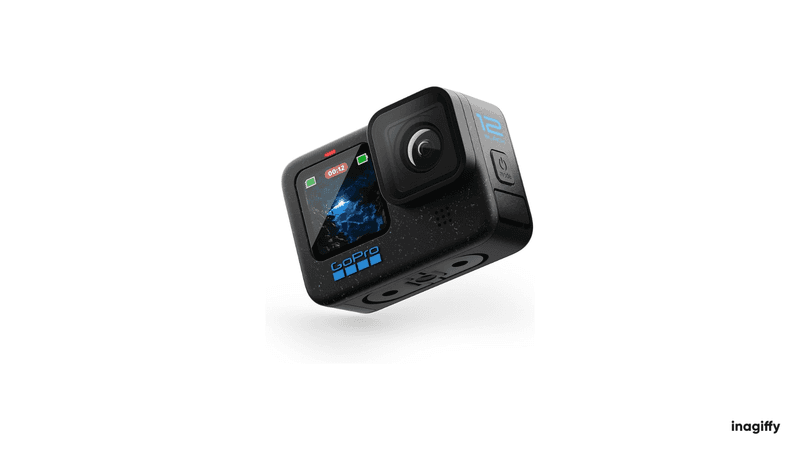
For adventure content, extreme sports, and anywhere a traditional camera cannot go, GoPro remains the standard.
Key specs:
5.3K 60fps, 4K 120fps
HyperSmooth 6.0 stabilization
Waterproof to 33ft without housing
HDR video
Bluetooth audio support
Max Lens Mod compatible
Why it works for action: Insane stabilization makes handheld and mounted footage smooth. Waterproof design handles rain, snow, and underwater shooting. Small size mounts anywhere. Wide-angle lens captures immersive footage.
Downsides:
Small sensor struggles in low light
Battery life is limited
Overheating can occur in hot conditions
Price: Around $400
Best Budget Camera: Sony ZV-E10 (Original)
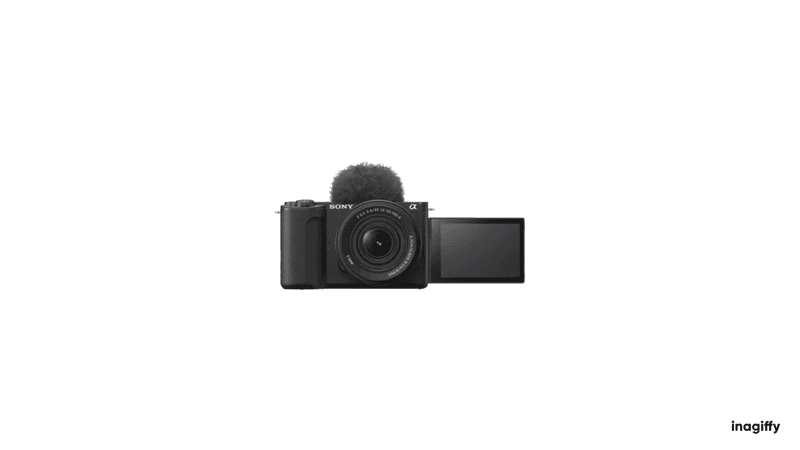
The original ZV-E10 remains excellent value. It has nearly all the features of the Mark II at a lower price.
Key specs:
24.2MP APS-C sensor
4K 30fps recording
Real-time eye autofocus
Flip-out touchscreen
Built-in directional microphone
Why it works on a budget: You get Sony's excellent autofocus, a flip screen, and good video quality at a price point that makes sense for new creators. The APS-C sensor performs well in various lighting conditions.
Downsides:
No 4K 60fps (the Mark II added this)
Rolling shutter can be noticeable
Kit lens is basic
Price: Around $600-700 with kit lens
Other Cameras Worth Considering
Canon EOS R50
Smaller and cheaper than the R10, with similar video capabilities. Good for creators who prioritize portability and simplicity over maximum features.
Sony A7C II
Full-frame sensor in a compact body. Great for creators who want shallow depth of field and low-light performance without the bulk of traditional full-frame cameras.
Fujifilm X-S20
Excellent film simulation modes that give you unique looks straight out of camera. Popular with creators who prefer a specific aesthetic without heavy color grading.
DJI Pocket 3
A gimbal-stabilized camera in your pocket. The 1-inch sensor version offers surprisingly good image quality in a tiny package. Great for travel vloggers.
Camera Features Explained
Sensor Size
Larger sensors capture more light and create shallower depth of field. Common sizes from smallest to largest:
Sensor: 1-inch — Compact cameras, high-end phones
Sensor: Micro Four Thirds — Mirrorless (Panasonic, OM System)
Sensor: APS-C — Mirrorless (Sony, Canon, Fuji)
Sensor: Full-frame — Professional mirrorless and DSLR
For YouTube, APS-C hits the sweet spot of quality, cost, and size for most creators.
Rolling Shutter
Digital sensors read the image line by line, not all at once. Fast movement or quick pans can cause a "jello" effect. Cameras with faster readout speeds minimize this.
Log Profiles
Log recording captures a flat, desaturated image that preserves more detail for color grading. Useful for cinematic content but requires more editing work.
Bit Depth
8-bit video supports 16.7 million colors. 10-bit supports over 1 billion colors. The difference matters for color grading and avoiding banding in gradients.
Essential Accessories for YouTube Cameras
The camera is just the start. You also need:
Microphone
Audio quality often matters more than video quality. Options:
Shotgun mic (Rode VideoMic, Deity V-Mic)
Lavalier mic (Rode Wireless Go, DJI Mic)
USB mic for desk setups (Shure MV7, Blue Yeti)
Lighting
Good lighting makes any camera look better. Start with:
Ring light for face illumination
Key light (Elgato, Aputure)
Softbox for diffused light
Tripod or Mount
Tabletop tripod for desk setups
Full-size tripod for standing shots
Joby GorillaPod for flexible mounting
Memory Cards
4K video requires fast cards. Look for:
V30 or V60 speed rating minimum
UHS-II for highest performance
128GB+ capacity
Extra Batteries
Camera batteries drain fast during video recording. Carry at least two.
Camera Settings for YouTube
Once you have your camera, optimize these settings:
Resolution and Frame Rate
4K 30fps for most content
4K 60fps for action or if you want slow motion options
1080p is acceptable if 4K causes overheating or storage issues
Picture Profile
Standard or neutral for easy editing
Log if you plan to color grade
High contrast/saturation if you want a finished look in-camera
Autofocus Settings
Enable face/eye detection
Set tracking sensitivity based on your content
Test and adjust for your specific scenarios
Audio Settings
Disable auto gain control if possible
Set manual levels to peak around -12dB
Monitor with headphones when possible
Smartphone vs Dedicated Camera
Modern smartphones shoot excellent video. Do you need a dedicated camera?
Stick with your phone if:
You are just starting and testing content ideas
Budget is very limited
You prioritize portability above all else
You create short-form vertical content
Get a dedicated camera if:
You want shallow depth of field
You need better low-light performance
You want interchangeable lenses
You create longer horizontal content
Audio quality matters (most cameras have better mic inputs)
Many successful YouTubers started with phones. Upgrade when your skills and audience justify the investment.
How Much Should You Spend?
Budget: Under $500 — Used cameras, older models, action cameras
Budget: $500-1,000 — Entry-level mirrorless, compact cameras
Budget: $1,000-2,000 — Mid-range mirrorless with good features
Budget: $2,000-4,000 — Professional features, full-frame options
Budget: $4,000+ — Cinema cameras, professional broadcast
For most YouTube creators, $800-1,200 gets you everything you need. Spend the rest on lighting, audio, and content.
For strategies on building a YouTube presence, see our guide on getting brand sponsorships on Instagram and other platforms.
FAQs
What is the best camera for YouTube beginners?
The Canon EOS R10 or Sony ZV-E10 are the best options for beginners. Both offer excellent autofocus, flip screens, and good video quality at accessible prices.
Do I need 4K for YouTube?
YouTube supports 4K, and filming in 4K gives you flexibility to crop and reframe. However, 1080p is still acceptable, especially when starting out.
What camera do most YouTubers use?
Popular choices include Sony ZV-E10/ZV-E1, Canon EOS R series, and Sony A7 series. Many top creators use Sony cameras for their autofocus reliability.
Is a mirrorless camera better than a DSLR for YouTube?
For video, yes. Mirrorless cameras generally offer better autofocus, flip screens, and video features. DSLRs are optimized for photography.
How important is in-body stabilization?
Very helpful for handheld shooting. If your camera lacks IBIS, use lens stabilization or a gimbal. Tripod use eliminates the need for stabilization.
What accessories do I need for YouTube?
At minimum: external microphone, lighting, and a tripod or mount. Memory cards and extra batteries are practical necessities.
Creating YouTube content? Inagiffy helps creators build audiences across platforms. We handle content strategy, newsletters, and community building. See how we work.
Frequently Asked Questions
What Makes a Good YouTube Camera?
Not every camera feature matters for YouTube. Here is what does.
What is video quality (4k is standard)?
4K resolution is the baseline for serious YouTube content in 2025. It gives you room to crop and reframe in editing, and it looks sharper even when viewers watch at 1080p.
What are autofocus?
This is critical, especially for solo creators. You need a camera that keeps you in focus without a camera operator.
What is flip screen?
If you film yourself, you need to see the screen while recording. A fully articulating flip screen that faces forward is key for solo vlogging.
What is audio input?
Built-in microphones are usually mediocre. A 3.5mm microphone jack lets you connect external mics for better audio. Some cameras have full-size XLR inputs for professional microphones.
What is stabilization?
Shaky footage looks amateur. Options:
Inagiffy — Premium newsletter growth for brands that take email seriously. Strategy, design, and delivery handled for you. See what we do.
Related Articles
