Discover How to Design a Progress Tracker and Use It
Arnav Jalan
email design
Discover How to Design a Progress Tracker and Use It Effectively as a Goal Tracker as a User
Building an effective progress tracker can significantly enhance your project management process, ensuring tasks are completed on time and within budget. A well-designed tracker not only helps in monitoring progress but also boosts productivity and team collaboration. Here's how you can create a progress tracker and take advantage of it for optimal results.
Key Takeaways
What is the Importance of Progress Tracking and Status Tracking? — Progress tracking is vital for keeping projects on schedule and within budget.
Understanding the Role of Progress Tracker Screen in Achieving Goals, Showing Progress, and Receiving Feedback — A progress tracker plays a key role in achieving project goals by providing a clear view of the project's status.
How Progress Tracking Can Help Boost Productivity — Progress tracking significantly boosts productivity by speeding up project management processes.
How to Design an Effective Progress Tracker? — Designing an effective progress tracker involves creating a tool that helps teams monitor their progress towards goals in a clear and organized manner...
Key Features to Include in Your Progress Tracker Design — When designing a progress tracker, certain features are fundamental to ensure its effectiveness.
Tips for Creating User-Friendly Progress Tracker UI Elements — Creating a user-friendly progress tracker involves designing UI elements that are intuitive and easy to navigate.

What is the Importance of Progress Tracking and Status Tracking?
Progress tracking is vital for keeping projects on schedule and within budget. By monitoring the completion of tasks, resource usage, and milestone achievements, a progress tracker provides valuable insights into project performance. It helps in identifying potential bottlenecks and taking corrective actions before they become major issues. Plus, it fosters accountability among team members, encouraging them to stay committed to their responsibilities and meet deadlines. Effective progress tracking leads to better decision-making and successful project outcomes.
Understanding the Role of Progress Tracker Screen in Achieving Goals, Showing Progress, and Receiving Feedback
A plays a key role in achieving project goals by providing a clear view of the project's status. It allows project managers to compare actual progress against planned milestones, helping them stay on track. With a , managers can quickly identify any deviations from the plan and implement necessary adjustments.
This tool also enhances communication within the team, ensuring everyone is aware of their responsibilities and the project's status. By keeping everyone aligned, a helps in achieving project goals efficiently.
How Progress Tracking Can Help Boost Productivity
Progress tracking significantly boosts productivity by speeding up project management processes. It helps in breaking down large projects into manageable tasks, making it easier to track progress and maintain momentum. With clear visibility into task completion and resource allocation, team members can focus on their priorities and avoid bottlenecks.
Plus, progress trackers often come with features that automate routine updates and notifications, saving time and reducing manual effort. By keeping the team organized and informed, enhances productivity and ensures timely project delivery.
How to Design an Effective Progress Tracker?
Designing an effective involves creating a tool that helps teams monitor their progress towards goals in a clear and organized manner. It should display key metrics, milestones, and deadlines, ensuring that all team members are on the same page and can take corrective actions when needed.
Key Features to Include in Your Progress Tracker Design
When designing a , certain features are fundamental to ensure its effectiveness. Including a progress bar that visually represents the percentage of completion for each task or milestone is significant. This visual display helps users quickly grasp their progress towards goals. Another important feature is real-time data updates, which ensure that the information displayed is always current and accurate. Also, incorporating customizable widgets allows users to tailor the tracker to their specific needs and preferences, enhancing productivity.
Tips for Creating User-Friendly Progress Tracker UI Elements
Creating a user-friendly involves designing UI elements that are intuitive and easy to navigate. Start by using a clear and simple layout that prioritizes important information. Incorporate visual elements like icons and color-coded statuses to make it easy for users to identify different stages of task completion.
Providing options for personalization, such as adjusting the display settings or choosing between different visual representations of progress, can make the tool more engaging and useful. On top of that, ensuring that the tracker is compatible with multiple platforms and devices, including apps on Google Play, will make it accessible to a wider audience.
A user-friendly progress tracker features a simple layout, visual elements, personalization options, and multi-platform compatibility, enhancing user engagement and accessibility.
How Can a Progress Tracker Help You Reach Your Goals?
A is an invaluable tool for reaching your goals by providing a clear overview of your progress. It helps break down complex projects into manageable tasks, making it easier to monitor and complete each step. By keeping track of milestones and deadlines, a ensures that you stay on target and maintain momentum. Plus, it enhances accountability among team members, as everyone can see exactly where they stand in relation to the project's progress.
Utilizing a Progress Tracker for Tracking Tasks and Goals
Using a effectively involves tracking both tasks and goals meticulously. Start by defining your objectives and breaking them down into smaller, actionable tasks. This will provide a clear roadmap and make the progress tracker functional. Regular updates and check-ins are critical to ensure that the tracker reflects the current status of each task. you can identify any potential bottlenecks early and make necessary adjustments to stay on course.
Measuring Progress Towards Goals with the Help of a Tracker
Measuring progress towards goals with a tracker involves continuous monitoring and assessment. Use the tracker to set benchmarks and milestones that mark significant stages in your project. By comparing actual progress against these benchmarks, you can gauge your performance and make informed decisions. This process not only helps in keeping the project on track but also provides insights into areas that need improvement.
What Are Some Useful Features of a Progress Tracker?
A good comes with several useful features that enhance its effectiveness. Look for features such as real-time updates, customizable dashboards, and integration with other project management tools. These features provide a comprehensive overview of the project status and allow for easy coordination among team members. Also, features like data backup and privacy controls ensure that your information is secure and easily accessible.
Benefits of Having a Visual Progress Bar in Your Tracker
A visual progress bar is a key feature in any , providing a clear and immediate understanding of task completion. It visually represents the percentage of work done, making it easy to see at a glance how much progress has been made. This visual cue is motivating for team members and helps maintain focus on the end goal. Beyond that, it can be customized to fit different types of projects, making it a versatile tool for various tasks.
How Progress Tracker Widgets Can Enhance User Experience
Incorporating widgets into your can significantly enhance the user experience. Widgets provide quick access to important information and allow for customization to meet individual needs. They can display key metrics, upcoming deadlines, and other relevant data in a compact, easy-to-digest format. This not only improves efficiency but also ensures that users have the information they need at their fingertips.
For a deeper dive, see our guide on Web Email vs HTML Email Design.
How to Select the Right Progress Tracker for Your Project?
Selecting the right progress tracker for your project involves evaluating various options to find the one that best suits your needs. Start by considering the specific requirements of your project and organization.
A good should allow users to break down tasks into manageable steps and provide a clear overview of progress. It should also help users stay accountable by tracking deadlines and milestones. Look for features like real-time updates, customizable dashboards, and integration with other tools to ensure a smooth workflow.
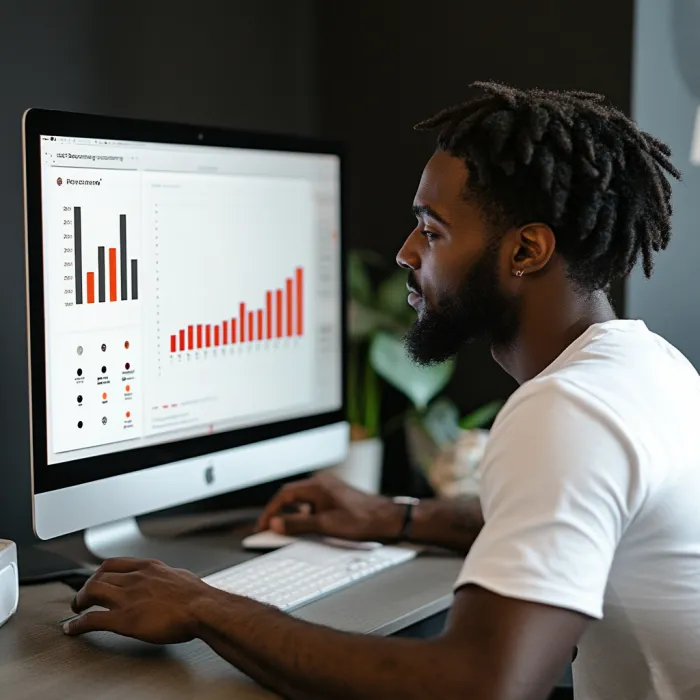
Considerations When Choosing a Progress Tracker Option
When choosing a option, several factors need to be taken into account. First, consider the complexity of your project. For larger projects, a more reliable tracker with advanced features like real-time collaboration and extensive documentation capabilities might be required. Second, think about the ease of use.
The tracker should be intuitive, allowing users to easily navigate and update their progress. consider the cost and whether the tracker offers a free trial or payment options that fit your budget. By carefully weighing these considerations, you can select a tracker that fits your project's needs.
Comparing Progress Trackers Based on Design and Functionality
Comparing s based on design and functionality is necessary to find the most suitable tool. Look for trackers that offer a user-friendly interface with a step-by-step layout, making it easy to track and update tasks. Horizontal and vertical views can help divide tasks and provide a comprehensive overview of project progress.
On top of that, explore trackers that display key metrics and allow for customization to meet your specific requirements. A good tracker should help users stay organized, removing any barriers to productivity and ensuring a smooth project flow.
FAQs
What is a progress tracker? A progress tracker is a tool used to monitor and manage the completion of tasks within a project. It provides real-time updates, helps break down tasks into manageable steps, and tracks deadlines and milestones to ensure project goals are met.
Why is using a progress tracker important? A progress tracker is necessary for maintaining organization, accountability, and efficiency in project management. It helps teams stay on schedule, identify potential bottlenecks, and make informed decisions to keep projects on track.
What features should I look for in a progress tracker? Key features to look for include real-time updates, customizable dashboards, integration with other project management tools, ease of use, and the ability to break down tasks into smaller, manageable steps.
How do I choose the right progress tracker for my project? To choose the right progress tracker, consider the complexity of your project, the specific needs of your team, the ease of use of the tool, and your budget. Look for trackers that offer the necessary features and a free trial or flexible payment options.
Can a progress tracker be used for personal projects? Yes, progress trackers can be used for personal projects as well as professional ones. They help individuals stay organized, track their goals, and maintain accountability, leading to increased productivity and successful completion of personal tasks.
How does a progress tracker improve team collaboration? A progress tracker improves team collaboration by providing a centralized platform where all team members can view task statuses, update their progress, and communicate about project developments. This transparency and real-time information sharing enhance teamwork and efficiency.
Dive into the future of meaningful communication with us and watch your audience grow, engage, and thrive.
Frequently Asked Questions
What is the Importance of Progress Tracking and Status Tracking?
Is vital for keeping projects on schedule and within budget. By monitoring the completion of tasks, resource usage, and milestone achievements, tracker provides valuable insights into project performance. It helps in identifying potential bottlenecks and taking corrective actions before they become major issues.
What are the best approaches for understanding the role of progress tracker screen in achieving goals, showing progress, and receiving feedback?
A plays a key role in achieving project goals by providing a clear view of the project's status. It allows project managers to compare actual progress against planned milestones, helping them stay on track. With a , managers can quickly identify any deviations from the plan and implement necessary adjustments.
How Progress Tracking Can Help Boost Productivity?
Significantly boosts productivity by speeding up project management processes. It helps in breaking down large projects into manageable tasks, making it easier to track progress and maintain momentum. With clear visibility into task completion and resource allocation, team members can focus on their priorities and avoid bottlenecks.
How to Design an Effective Progress Tracker?
Designing an effective involves creating a tool that helps teams monitor their progress towards goals in a clear and organized manner. It should display key metrics, milestones, and deadlines, ensuring that all team members are on the same page and can take corrective actions when needed.
What are key features to include in your progress tracker design?
When designing tracker, certain features are fundamental to ensure its effectiveness. Including bar that visually represents the percentage of completion for each task or milestone is significant. This visual display helps users quickly grasp their progress towards goals. Another important feature is real-time data updates, which ensure that the information displayed is always current and accurate.
What are tips for creating user-friendly progress tracker ui elements?
Creating a user-friendly involves designing UI elements that are intuitive and easy to navigate. Start by using a clear and simple layout that prioritizes important information. Incorporate visual elements like icons and color-coded statuses to make it easy for users to identify different stages of task completion.
Inagiffy — Premium newsletter growth for brands that take email seriously. Strategy, design, and delivery handled for you. See what we do.
Related Articles
